Sales & Revenue
Professional Estimates & Invoicing: Get Paid 23x Faster
A digital estimate is a proposal with line items and a way to accept on the phone. The customer approves on their phone, and the invoice follows when the job is done. ServiceFlow keeps the estimate, the approval, and the invoice on one job so you get paid on that workflow.
Digital estimates and invoices apply to a service business still handing over a handwritten pad. The claim is that a customer who can sign on the spot produces the 35% higher close rate in this article. The title's 23 times faster payment is the gap between waiting on a check and sending the invoice from the job. The article also says a deposit can be required at 25%, 50%, or a custom share before the job is scheduled. The condition is that the estimate is actually sent with line items and a way to accept. A PDF nobody opens does not change the close rate. It applies to the technician or office user writing the quote and to the customer deciding on the phone. The 35% figure is the close-rate lift this article ties to that cleaner proposal.
Handwritten estimate on a crumpled invoice pad. No logo. Coffee stain. Math done in your head.
Customer says "Let me think about it" (translation: calling your competitor for a real quote).
Digital estimate with photos, line items, payment options, and one-click acceptance?
Customer signs on the spot. 35% higher close rate.
This is the power of looking professional.
The Estimation Problem
Unprofessional = Unpaid
Paper estimates signal:
- "Small, disorganized business"
- "Might not finish the job"
- "What if there's a dispute?"
Digital estimates signal:
- "Established, professional company"
- "Clear terms and expectations"
- "Easy to work with"
Perception drives decisions. Your estimate IS your first impression.
What a professional estimate actually includes
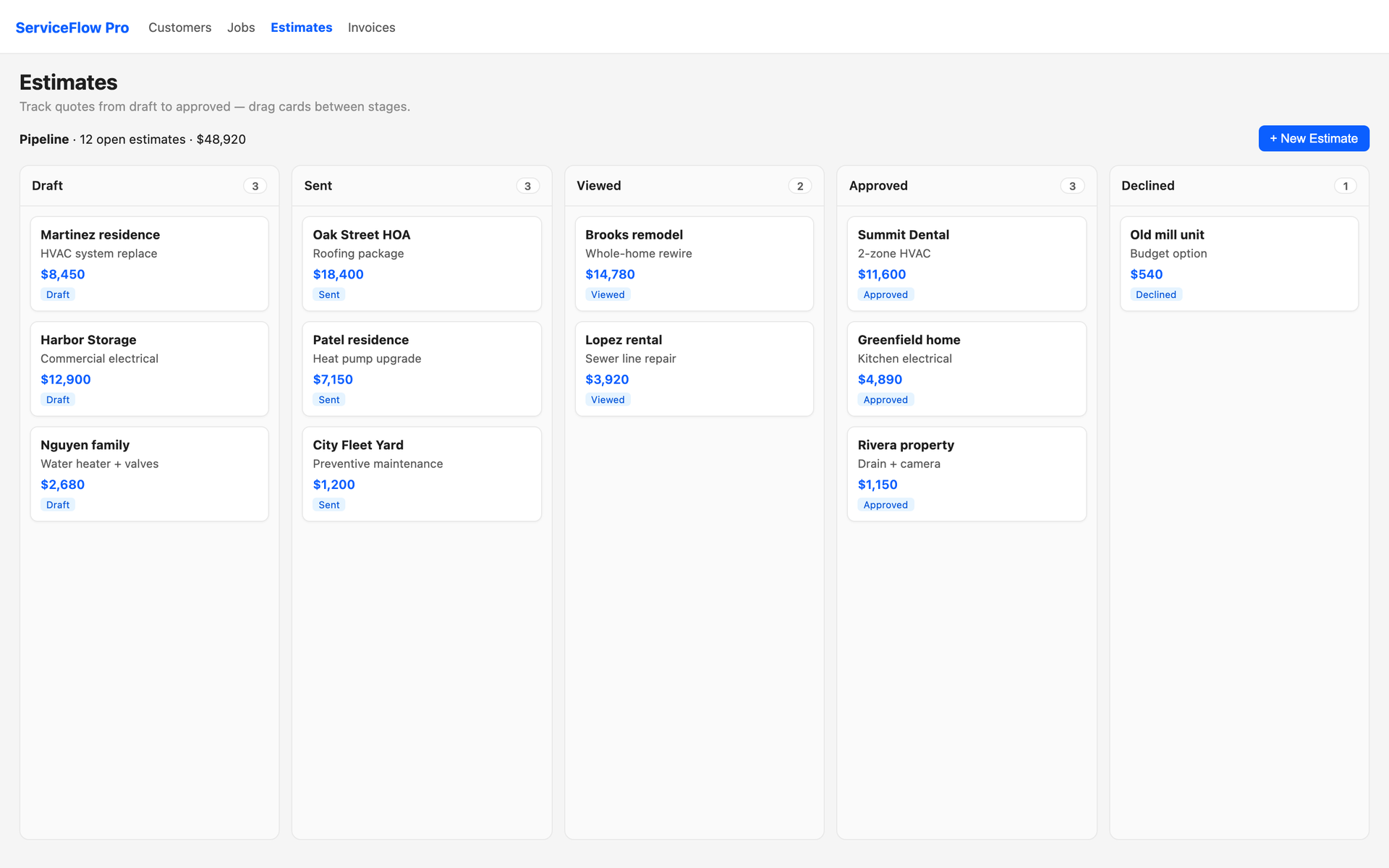
Handwritten pads skip the details that close the job. A ServiceFlow Pro estimate is a proposal the customer can review, compare, and accept without calling you back.
On every estimate you can:
- Pull line items from your price book so pricing is consistent
- Offer Good / Better / Best options with separate totals
- Attach photos, exclusions, materials included, and change-order policy
- Set tax, discounts, validity dates, and payment terms
- Require a deposit (25%, 50%, or custom) before you schedule
- Send by email and text with a link the customer can open on their phone
- Collect a digital signature / acceptance without printing anything
When they accept, you convert the estimate into a job and an invoice without retyping a single line.
Why close rates go up
Customers stall on paper quotes because they cannot compare options or pay a deposit. A three-option estimate answers “what if we did the cheaper version?” on the same PDF. The deposit option answers “are they serious?” before you buy materials.
Typical pattern after switching:
- Same-day send from the job site (not “I’ll drop a quote in the mail”)
- Customer taps to accept on the phone
- Deposit collected through a payment link
- Job appears on the board already priced
That is the 35% close-rate lift: less time for a competitor to send a cleaner proposal.
Invoicing that does not wait 28 days
Estimates win the work. Invoices collect the money.
ServiceFlow invoices can:
- Be created from a job or an approved estimate (line items already there)
- Go out by email the moment the job is done
- Include a Stripe payment link so the customer pays by card, Apple Pay, Google Pay, or ACH
- Track balance due, overdue, and paid on the invoice list
- Send overdue reminders in bulk instead of one awkward phone call
- Support recurring invoices for maintenance agreements
- Issue credit memos when you need to reverse a paid amount
- Sync to QuickBooks so your bookkeeper is not retyping them
The 28 days → 1.2 days change
Paper invoice + “I’ll mail a check” is why average collection sits around a month.
Digital invoice + pay-now link is why the same shops report next-day money:
- Tech marks the job complete
- Invoice generates from the estimate/job
- Customer gets the link
- They pay in about 90 seconds
- Invoice status flips to paid; receipt goes out automatically
You still can record cash or check in the office. Card should be the default, not the exception.
Estimate builder: Good / Better / Best without a spreadsheet
The estimate builder is the create/edit flow at
/estimates/new.Build a three-option quote in one pass:
- Pick the customer and service address
- Add the job description (optional @mentions for price book items)
- Create option columns (Good / Better / Best, or whatever you name them)
- Drop in price-book lines, or type a custom line
- Set tax, discount, and deposit on the option you expect them to pick
- Preview the PDF, then send
Stock check on inventory-backed components flags a missing part before you promise a next-day install.
AI Assistant (when OpenAI is connected) can suggest title, duration, terms, and line items on a new estimate so you are not starting from a blank page.
From accepted estimate to paid invoice
Office flow:
- Customer accepts Option B
- Convert to job — techs see the sold scope, not a vague note
- Convert to invoice — same lines, same tax, same deposit applied
- Send invoice or generate a payment link from invoice detail
- If they stall, send an overdue reminder or an AR statement for the open balance
No second quote in Word. No “what did we actually sell them?” argument on the truck.
What this looks like in a real shop
Chen Electrical (6 techs)
Paper quotes sat in trucks for days. Close rate on replacement panels was ~40%. After digital estimates with two options and a 25% deposit, they sent quotes before leaving the driveway. Close rate on the same work moved into the mid-70s. Average days-to-pay on completed jobs dropped from the high 20s to under two days once invoices went out with a pay link.
Paper quotes sat in trucks for days. Close rate on replacement panels was ~40%. After digital estimates with two options and a 25% deposit, they sent quotes before leaving the driveway. Close rate on the same work moved into the mid-70s. Average days-to-pay on completed jobs dropped from the high 20s to under two days once invoices went out with a pay link.
Rodriguez Plumbing (solo + helper)
Used to write totals on a pad, then type invoices at night. Now the estimate is the invoice after acceptance. Nights are for family, not QuickBooks.
Used to write totals on a pad, then type invoices at night. Now the estimate is the invoice after acceptance. Nights are for family, not QuickBooks.
Numbers vary. The mechanism does not: professional proposal → easy accept → easy pay.
Implementation (about 20 minutes)
Estimates
- Open Estimates → New Estimate
- Load your price book so you are not typing prices
- Set tax rates under Settings → Tax Rates
- Turn on Send to customer by default if you want email/SMS on save
- Connect Stripe if you want deposits on approval
Invoices
- Open Invoices and create one from a finished job
- Generate a payment link from invoice detail
- Test it yourself on your phone
- Turn on overdue reminder bulk send when you have a backlog
Common questions
Q: Can customers still get a PDF?
Yes. Preview and send a PDF. The pay/accept link is extra, not a replacement for people who want a file.
Yes. Preview and send a PDF. The pay/accept link is extra, not a replacement for people who want a file.
Q: What if they want to change the option after they signed?
Edit the estimate or write a change order / new option, then invoice the difference. Do not silently alter a signed option without a paper trail.
Edit the estimate or write a change order / new option, then invoice the difference. Do not silently alter a signed option without a paper trail.
Q: Do I have to require a deposit?
No. None / 25% / 50% / custom. Use deposits on high-material jobs; skip them on small service calls if that is how you sell.
No. None / 25% / 50% / custom. Use deposits on high-material jobs; skip them on small service calls if that is how you sell.
Q: Will this work if I still take checks?
Yes. Record cash/check on the invoice. The win is offering card first so most people never mail anything.
Yes. Record cash/check on the invoice. The win is offering card first so most people never mail anything.
Stop looking like the cheapest pad in the glove box
Your work is professional. The quote should be too.
- Start a free trial
- Send one real estimate from a job today
- Attach a payment link on the invoice when you finish
Unprofessional estimates cost jobs. Slow invoices cost cash. Fix both.
Related:
Related Topics:
estimates software
digital invoicing
payment collection
professional estimates
quote software